
Choose the report
Start with the subject, intended reader, and use for the report. The first stage helps you generate concepts and choose the report worth developing.
For consultants, creators, and experts with something worth turning into a report
Report Product Studio guides you through the concept, outline, draft, print-ready file, and the materials needed to package, promote, present, or use the report.
Start with a topic, reader, source material, or rough report idea. The tool gives you connected prompts for each stage, so the report’s purpose, evidence policy, structure, and supporting materials stay together as you build. You can use the prompts in ChatGPT, Claude, Gemini, or another AI assistant.
Browser-based tool. Copy the prompts into ChatGPT, Claude, Gemini, or another AI assistant, and save the project in your browser.
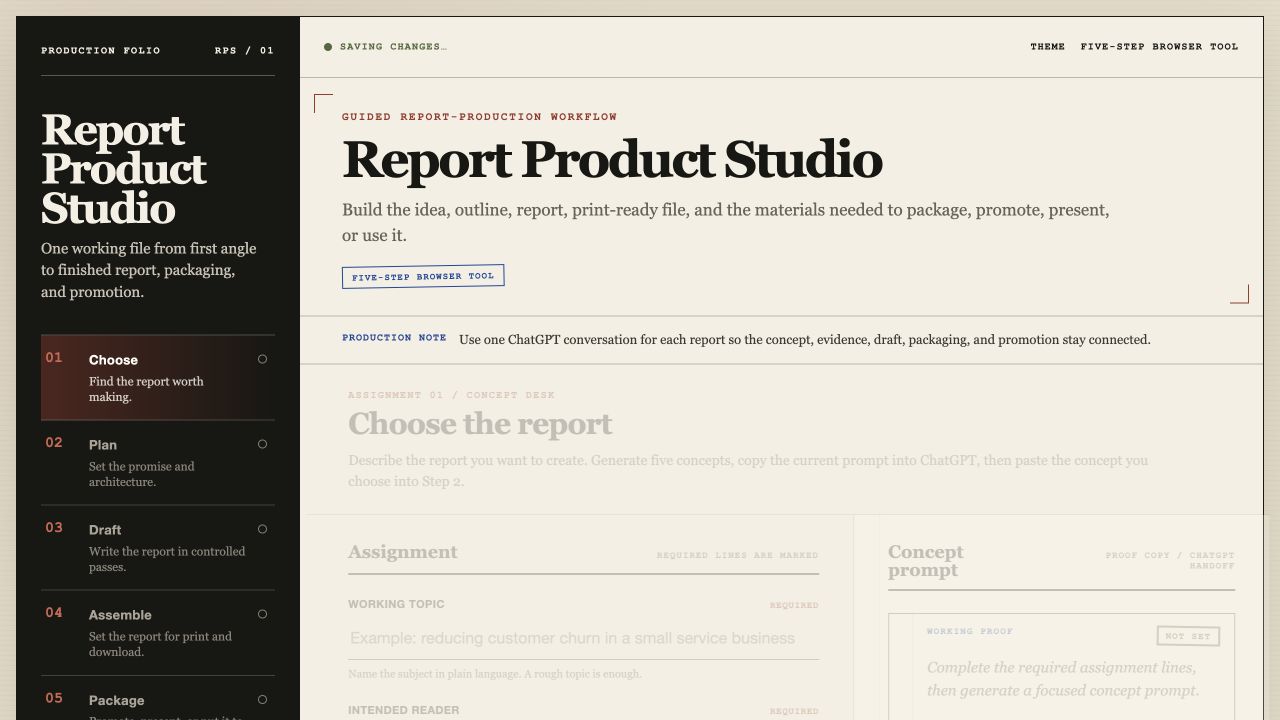
The Five-Stage Report-Production Path
A report can take on too many jobs at once: clarify the idea, make the case, give the reader something useful, look finished, and support the way you plan to use it. Report Product Studio gives each stage its own assignment while keeping the work in one assistant conversation.
Start with the subject, intended reader, and use for the report. The first stage helps you generate concepts and choose the report worth developing.
Turn the chosen concept into a report promise, architecture, evidence policy, and an approved outline with a drafting brief.
Work through controlled production passes for the front matter, opening pages, body sections, closing pages, and final review.
Paste in the finished report, set the cover details, review a print-ready preview, then print or save a PDF, download HTML, or download Markdown.
Choose graphics, promotion, or business-use assignments for the report, then copy the matching prompts or download the package prompt pack.
Start with the material you already have
Start with the thing you keep circling: a topic that comes up with clients, notes from a workshop, a subject your audience needs help with, or a resource you wish existed. You don't need a manuscript before you begin.
Decide who should use the report and what it needs to do for them. It can help a prospect understand a problem, give a client a useful resource, support a presentation, or become part of an offer.
Bring source excerpts, interview notes, examples, citations, or prior writing that should shape the report. You also decide the evidence policy.
Run the prompts in ChatGPT, Claude, Gemini, or another AI assistant. Keep each report in one conversation with the assistant you choose, so the work stays connected.
Browser-based tool. Your project saves in your browser.
A workspace for the finished material
Report Product Studio helps you organize and use the material you bring to the report. It doesn't research a subject or verify a claim for you.
The browser workspace saves the project as you work, while your assistant conversation holds the connected prompts and output.
Set the cover details and review the finished report before you print it or save it as a PDF.
Download the report as HTML or Markdown, or print and save the report as a PDF from the assembly stage.
Questions before you begin
It creates the connected prompts and production workspace. You run the prompts in your AI assistant, review the work, and paste the useful material into the next stage of the project.
No. You supply the source material and decide the evidence policy. The tool helps you shape, draft, assemble, and package the report using the material you provide.
No. You can use the prompts in ChatGPT, Claude, Gemini, or another AI assistant. The app's convenience action copies a prompt and opens ChatGPT, but you can paste the copied prompt wherever you work.
The assembly stage gives you a print-ready preview. You can print or save a PDF, download an HTML file, or download Markdown. The package stage gives you matching prompts for graphics, promotion, presentations, or business use.
No. The tool is browser-based and built around prompts, fields, preview, and download actions.
Report Product Studio
Pick the report you need to make and the person it needs to help. Report Product Studio gives you a working path for taking that report through the decisions, drafting, assembly, and package materials that follow.
Get Report Product Studio for $67Use the prompts in the AI assistant you prefer. The browser workspace saves your project as you work.